
Capture the person
Open Capture. Take a business card photo, choose a photo or phone contact, scan a contact QR, paste text, or enter the details yourself.
Allow camera access if you want to take a photo or scan a QR. Check the recognised details before saving. Recognition can make mistakes.
Keep the useful details
Add what you want to remember in About this person: where you met, what mattered or what you promised. Save the contact to open their details.
You can correct fields later. Recognised source text stays available for review.
Choose the next action
From the contact, tap Add follow-up. Choose what you need to do and when. Turn on a reminder if you want a notification, and allow the requested permission.
A useful action is specific: “Send the workshop outline”, not “Follow up”.
Return to Today
Open Today to see the actions that need attention and what is coming up. Call, message or email opens the relevant app on your phone. NexHello does not send messages for you.
Keep a backup
Your records stay on your device. There is no automatic cloud backup or multi-device sync. Save a backup before changing phones or removing the app.
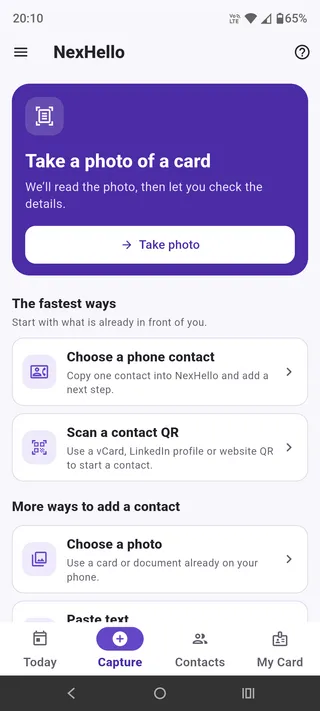
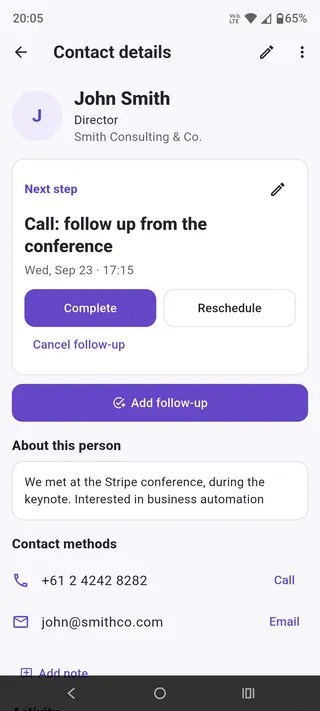
Android screenshots from September 2026. Appearance may vary by device and app version.